Checkout form fields and why a short form converts
A short checkout form converts because every field you remove is one less reason for the buyer to stop. Checkout form fields are the inputs a buyer must complete before paying, and the best forms ask for what the order needs and nothing else.
My Clepher checkout converts at 50 to 60% of the people who reach it. I went through the page field by field to see what does that work, and what I would sharpen next.
Why does a short checkout form work?
A buyer on a checkout has already decided. The form is the last thing between them and the product, so each extra input is a small reason to stop. Asking for less keeps the decision alive.
The second part is making the remaining fields cheap: sensible defaults, autofill that works, and no questions the system can answer itself.
What I do on my checkout
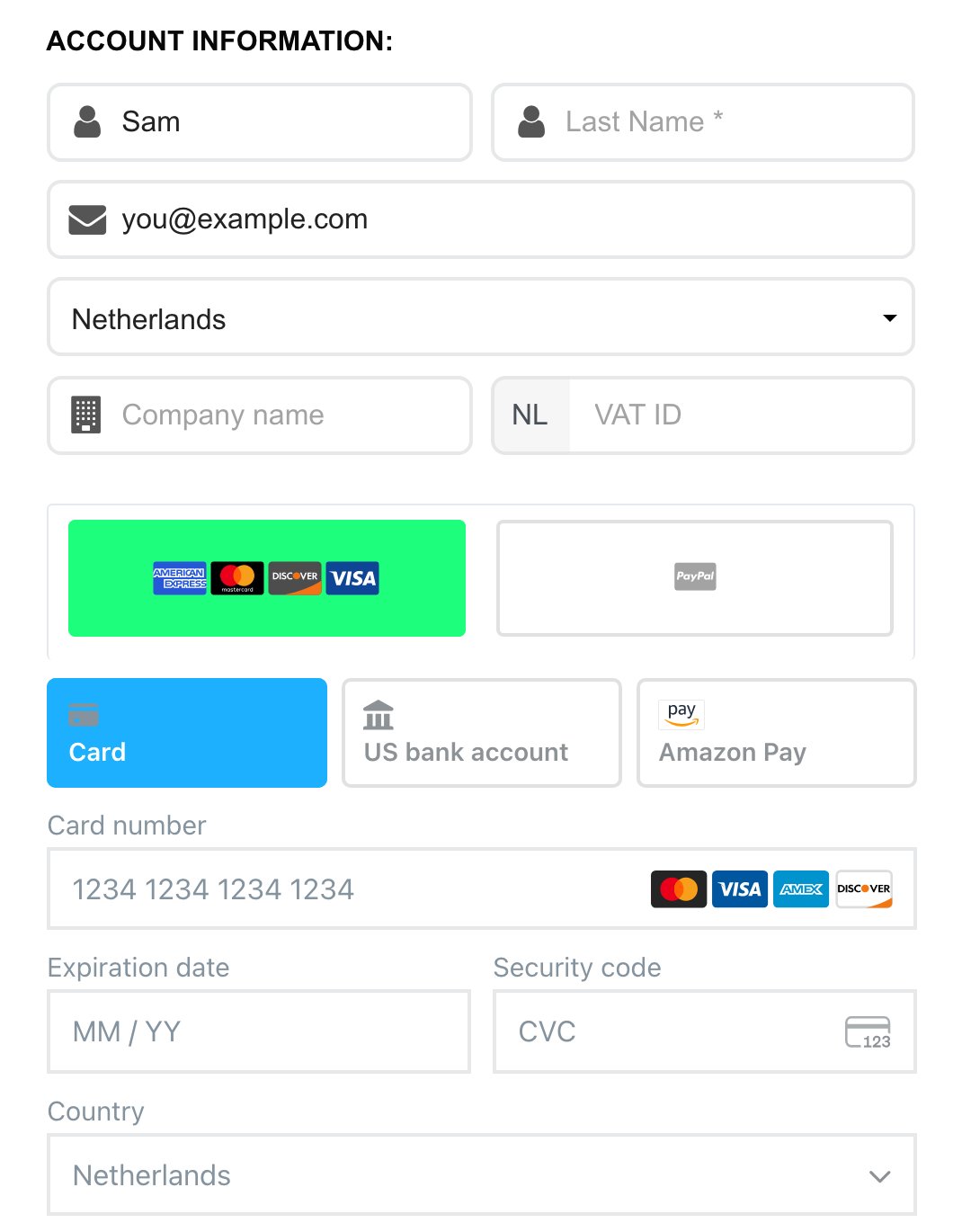
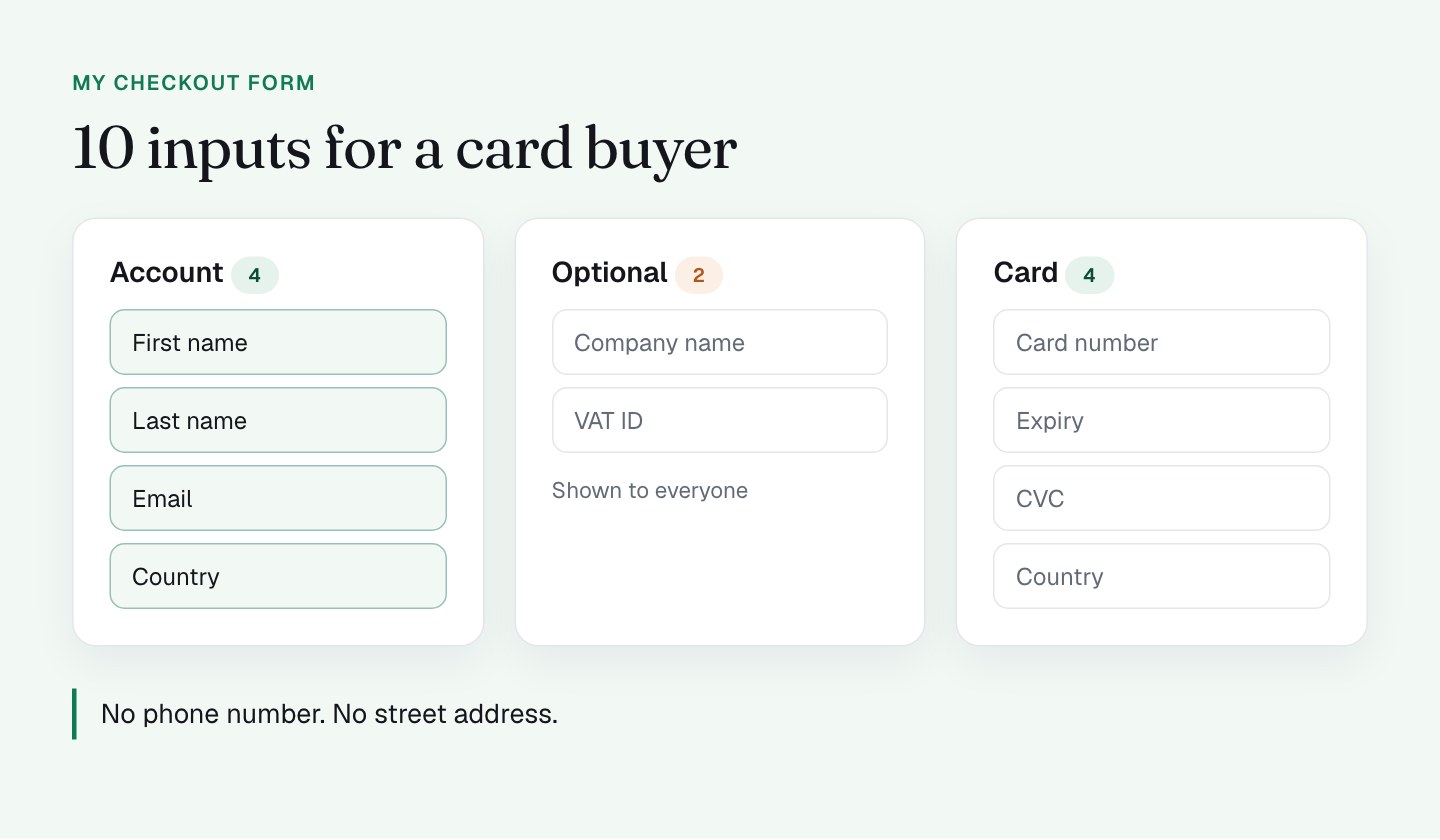
For someone paying by card, the form has 10 inputs: first name, last name, email, country, company name (optional), VAT ID (optional), card number, expiry, CVC, and the card country. Then a Terms checkbox and the button. There is no phone number and no street address anywhere in that list.
A few things in there are smart, and I'd keep all of them:
- Name and email come first. The form starts with the easy, familiar questions, so the buyer builds momentum before the payment details.
- Country is preselected from the visitor's location. The buyer does not choose it, and the system uses it to calculate VAT automatically. A buyer in the Netherlands sees 21% VAT without touching anything.
- Name and email can arrive prefilled. The link in my email passes both, so for most buyers 2 of the first 3 fields are already done. I covered how that works in part 1, on the checkout link.
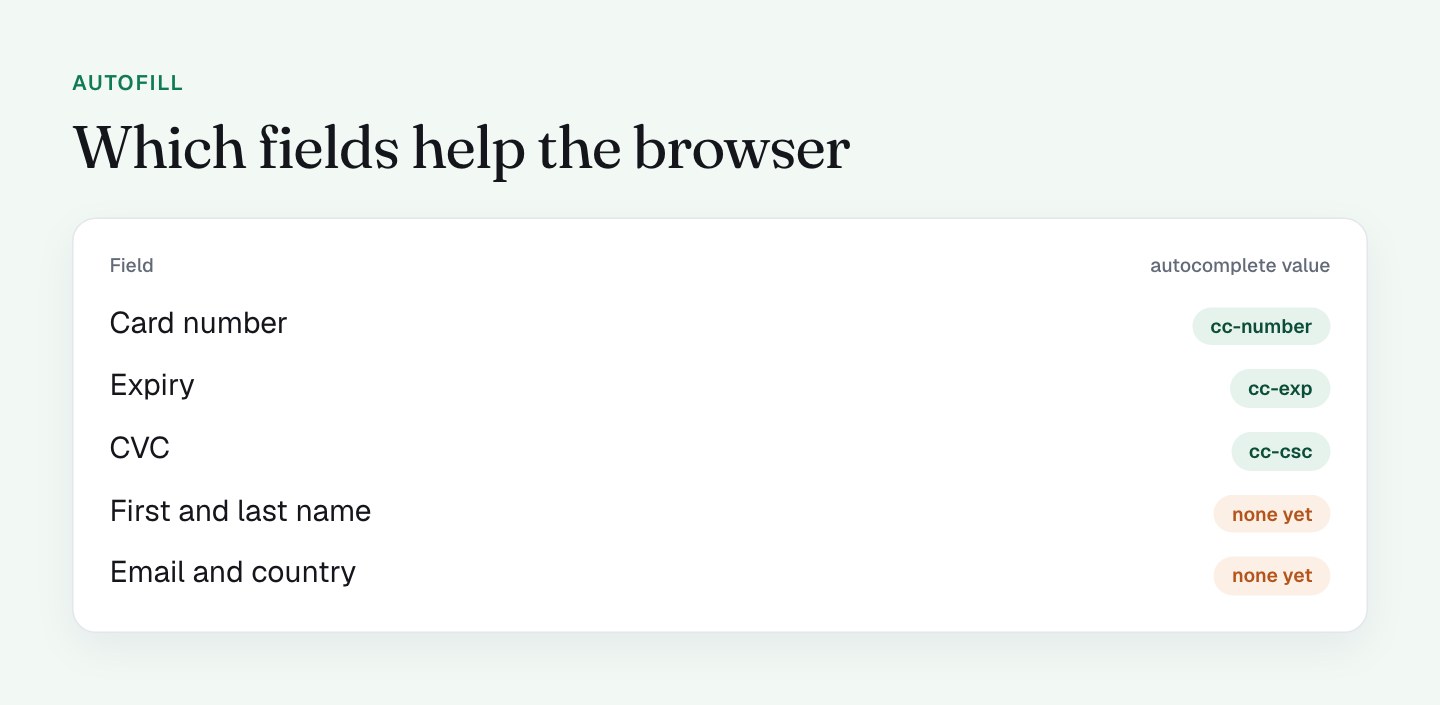
- The card fields are Stripe's. They carry the standard
cc-number,cc-expandcc-cscautocomplete values, so a browser with a saved card fills them in 1 tap. - The business fields are optional. Company name and VAT ID are there for the buyers who need an invoice with them, and nobody is forced to fill them in.
The form is a PayKickstart checkout embedded in an iframe, with Stripe's payment element inside it. That combination gives me a lot of this for free, and it is a big part of why the form feels so light.
What I'll do differently
The next iteration takes the form from lean to leaner. Here is what I'm testing, in the order I'd run it.
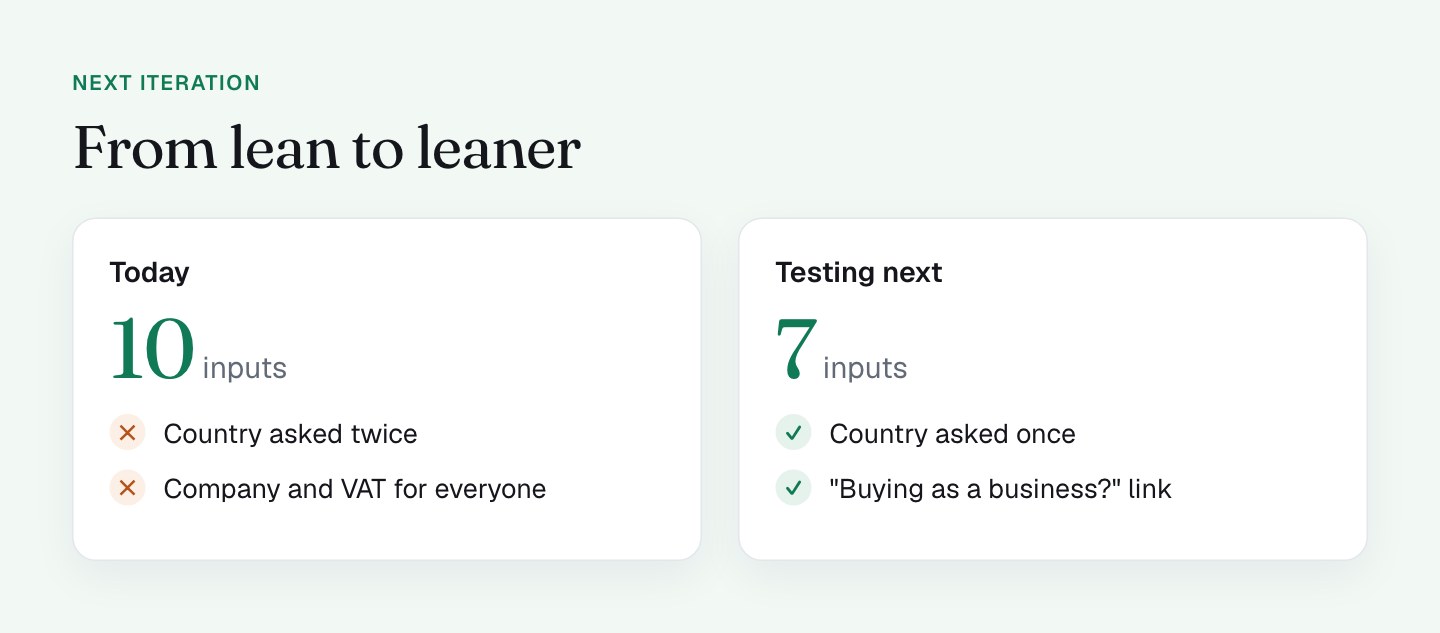
- Ask for country once. There is a billing country near the top and a second country inside the card block. I'm checking whether PayKickstart lets me use the first to fill the second, or hide one of them.
- Put company and VAT behind a link. Something like "Buying as a business?" that opens the 2 fields. The buyers who need them find the link in 1 second, and everyone else sees 2 fewer inputs.
- Add
autocompletevalues to the account fields. The card fields have them. The first name, last name, email and country fields do not, so the browser guesses from the field name. Whether I can set them inside the embed is something I'm asking the platform. - Use labels that stay visible. The labels are placeholders now, which looks clean but disappears once you type. Floating labels would keep the clean look and keep the context.
- Test the Terms checkbox. It starts unchecked and is required, so a buyer on a phone who misses it gets an error after tapping the button. I'd test a short line under the button that says clicking means agreeing. Check what your own legal setup requires before you change this one.
I'll run these 1 at a time. Cutting fields usually helps, but I want the number from my own traffic, not an assumption. The same thinking applies to what a buyer can pay with, which is the next place I'm cutting steps.
The principle underneath
A field earns its place if the order cannot be processed without it, or if the data pays for itself later. Everything else should move, shrink or go. My form already follows that rule closely. The upgrades above just apply it to the last few inputs that slipped past it.
What to check on your own checkout
- Count the inputs a card buyer touches before the button, including checkboxes, and write the number down.
- Look for any question asked twice (country, billing address, email confirmation).
- Check the page source for
autocompleteon every input, then test with a browser that has saved details. - Mark every optional field and ask who really needs it. Move it behind a link.
- Check whether labels stay visible once someone starts typing.
- Submit with the Terms box unchecked on a phone and see how clear the error is.
FAQ
How many fields should a checkout form have?
There is no magic number. A checkout form should have only the fields the order cannot be processed without. On my Clepher checkout a card buyer sees 10 inputs, and I'm testing a version with 7 visible ones.
Do optional fields hurt checkout conversion?
Optional checkout fields still ask the buyer to look, decide and move past them. I'd hide business fields like company name and VAT ID behind a "Buying as a business?" link, then test that version against the current form.
What is the autocomplete attribute on a checkout form?
The autocomplete attribute tells a browser what a field is, such as given-name, email or cc-number, so autofill can fill it correctly. Stripe's card fields on my checkout have these values. The account fields do not yet, so I'm asking the platform whether I can set them.
Should a checkout ask for country twice?
No. A checkout should ask for the buyer's country once and reuse the answer. My checkout asks in the billing section and again inside the card block, so I'm checking whether the platform lets me fill 1 from the other.