Know what your email platform adds to your checkout links
Email link parameters are the extras your tools add to a checkout link, such as vgo_ee from ActiveCampaign and gclid (Google's click ID) from Google Ads. They only matter if something on your page reads them, so the smart move is to know which ones do work for you.
I use ActiveCampaign for email and Google Ads for some traffic, so both show up on my link. When I audited my checkout I traced every one of them, and found 1 tactic I like a lot.
How do you carry an ad click into an embedded checkout?
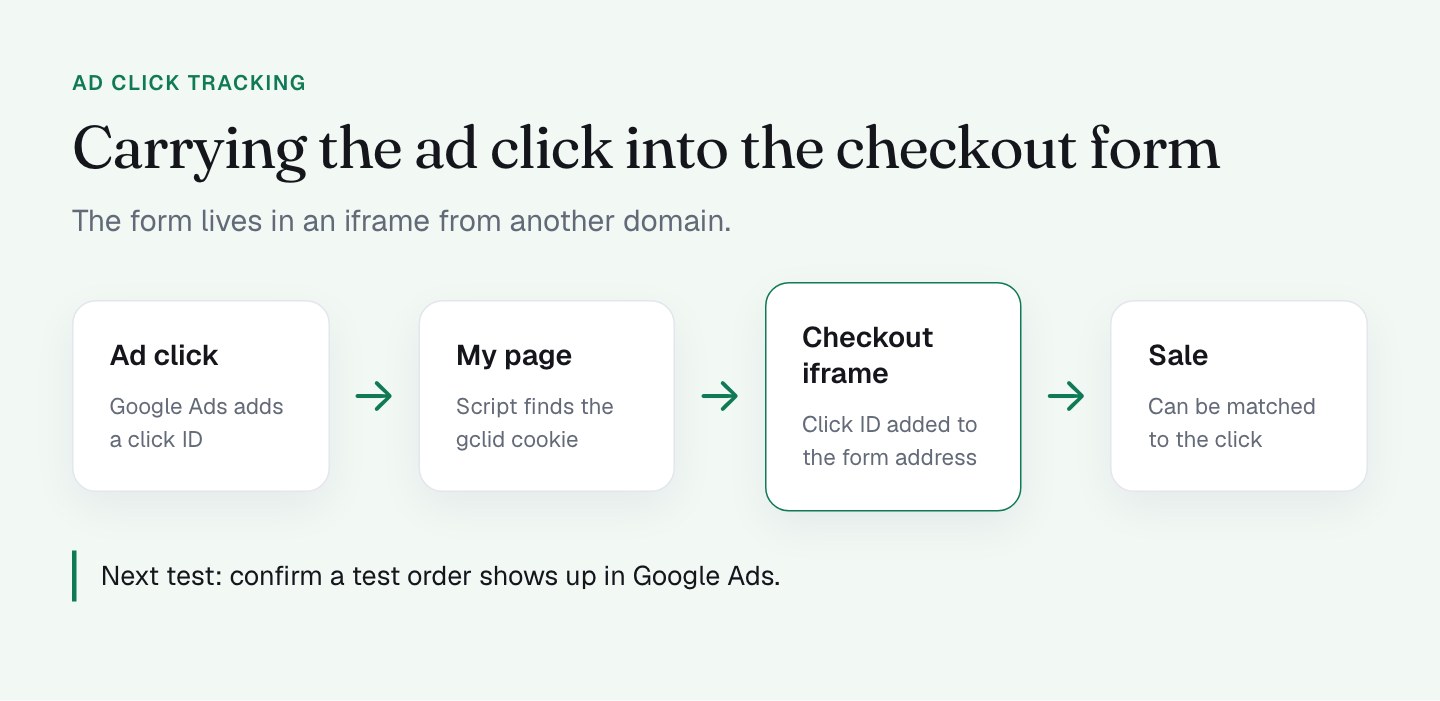
My checkout form isn't on my own page. It's an embedded PayKickstart form in an iframe from another domain, and the purchase happens inside it.
That matters for ad tracking. If a Google Ads click ID (gclid) stays on the outer page, the part of the system that records the sale never sees it, and your ad platform can't connect the sale to the click.
So my page has a script that looks for a gclid cookie and, if there is 1, adds it to the address of the embedded form. The click ID travels with the buyer into the place where the sale happens. I think that's a smart piece of plumbing, and it's something most embedded checkouts don't do.
What I do on my checkout
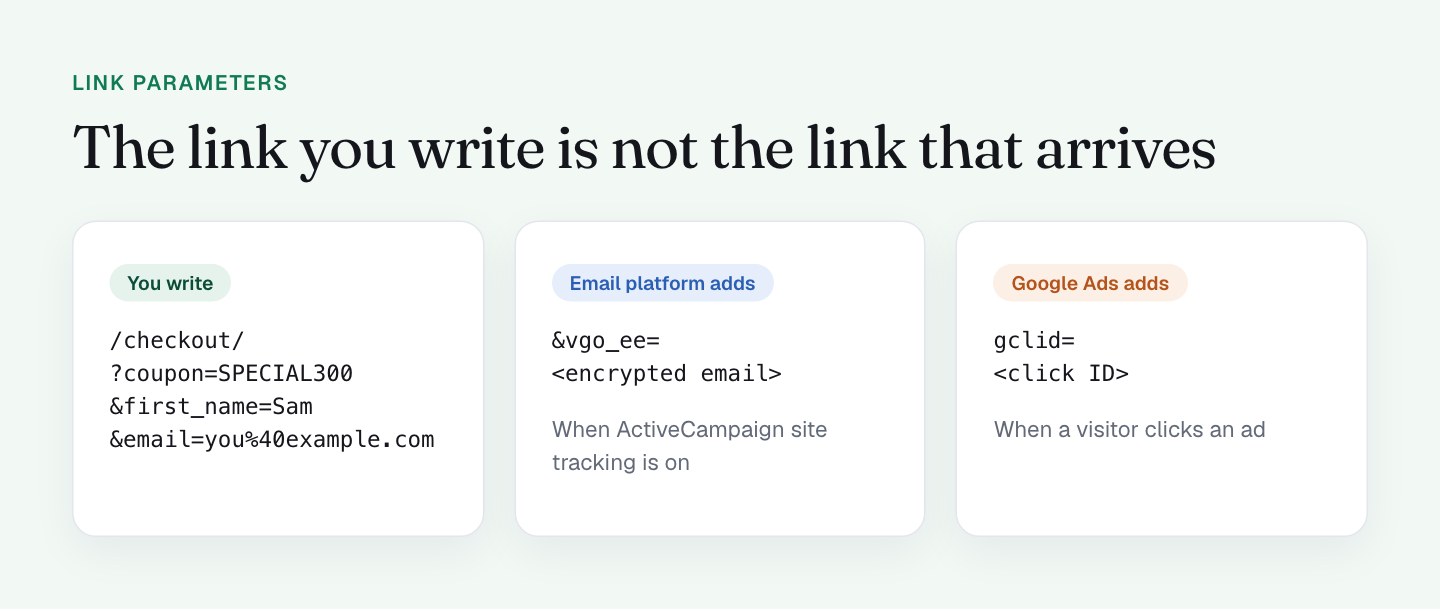
Let me lay out what each extra parameter is and what happens to it.
gclid: added by Google Ads when someone clicks an ad. It identifies the click so a later conversion can be matched to it. My page passes it into the form, as above.vgo_ee: added by ActiveCampaign when its site tracking feature is on. It's an encrypted version of the contact's email address, which lets ActiveCampaign's tracking script recognize who visited.
On my checkout, vgo_ee is not read by anything. I searched for code that uses it and found none. ActiveCampaign's tracking script never loads on that page, before or after cookie consent: no requests to its tracking domains, and window.vgo stays undefined. I'm fine with that. A checkout is a good place to keep the number of scripts low.
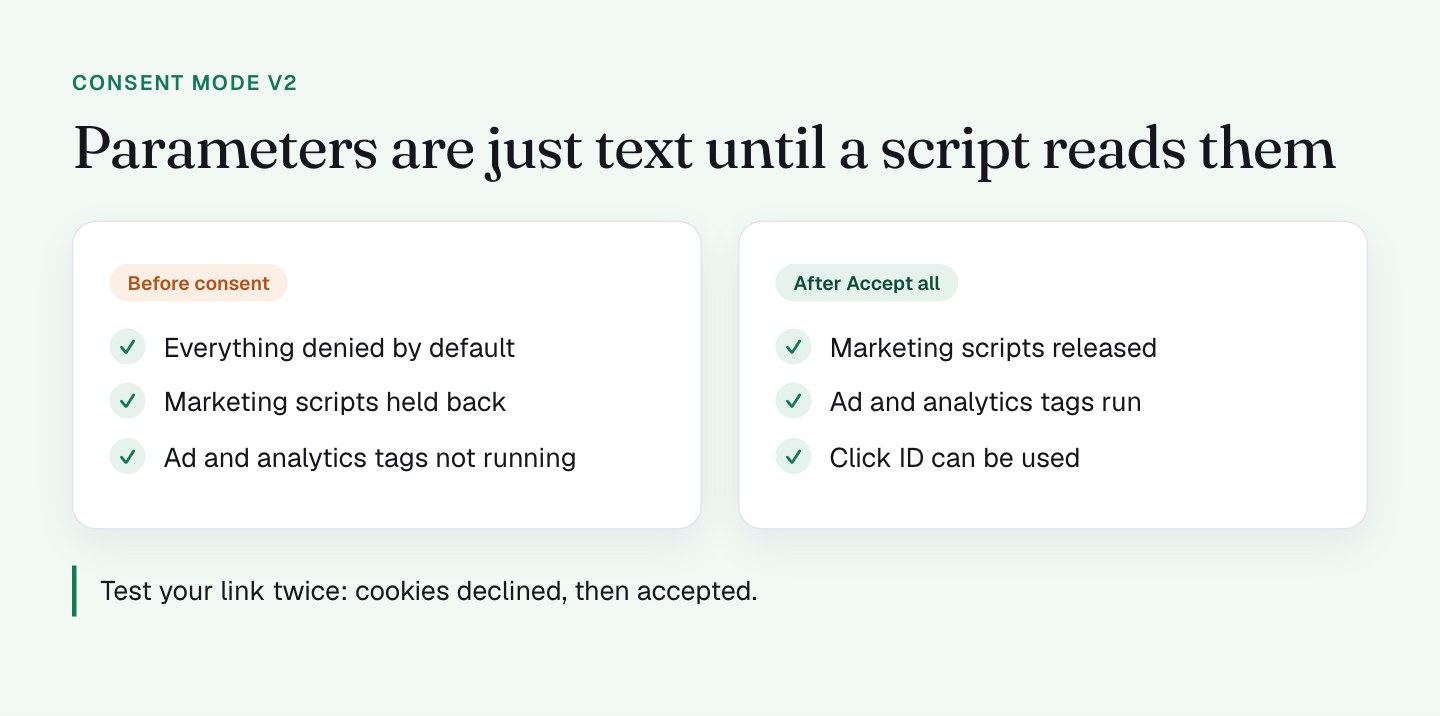
Everything is governed by consent. My checkout runs Consent Mode v2: all denied by default, with marketing scripts held back until the visitor accepts. I think that's the right setup (more in tracking, consent and SEO on a checkout). It means ad and analytics tags aren't running before consent, and the parameters in the URL are just text until a script reads them.
What I'll do differently
1. Verify the gclid handoff end to end. I know the mechanism. I haven't confirmed in Google Ads that a test purchase is matched to its click. That's my next test: click a test ad, complete a test order, and see whether the conversion lands where it should. If it works, great. If not, I know where to look.
2. Decide on vgo_ee. Since the tracking script isn't on the page, the parameter does no work. I'm testing the link without it. A shorter link is a cleaner link, and (as I wrote in part 1) every query string also changes how the page cache treats the URL.
3. Check what my pixels receive. This is the general rule I want to leave you with: never put an email address in a URL that ad pixels can read, and check what your pixels actually receive. Open the network tab, load your link, and look at the requests to ad and analytics vendors. It takes minutes, and it tells you the truth about your setup, whatever you assumed.
4. Decide whether gclid should only fire after consent. Because of Consent Mode, the click ID matters for visitors who accepted. I want to see how much of my ad data that covers and whether it's the trade I want.
How do you audit your checkout link in 5 minutes?
You don't need a tool. You need a browser.
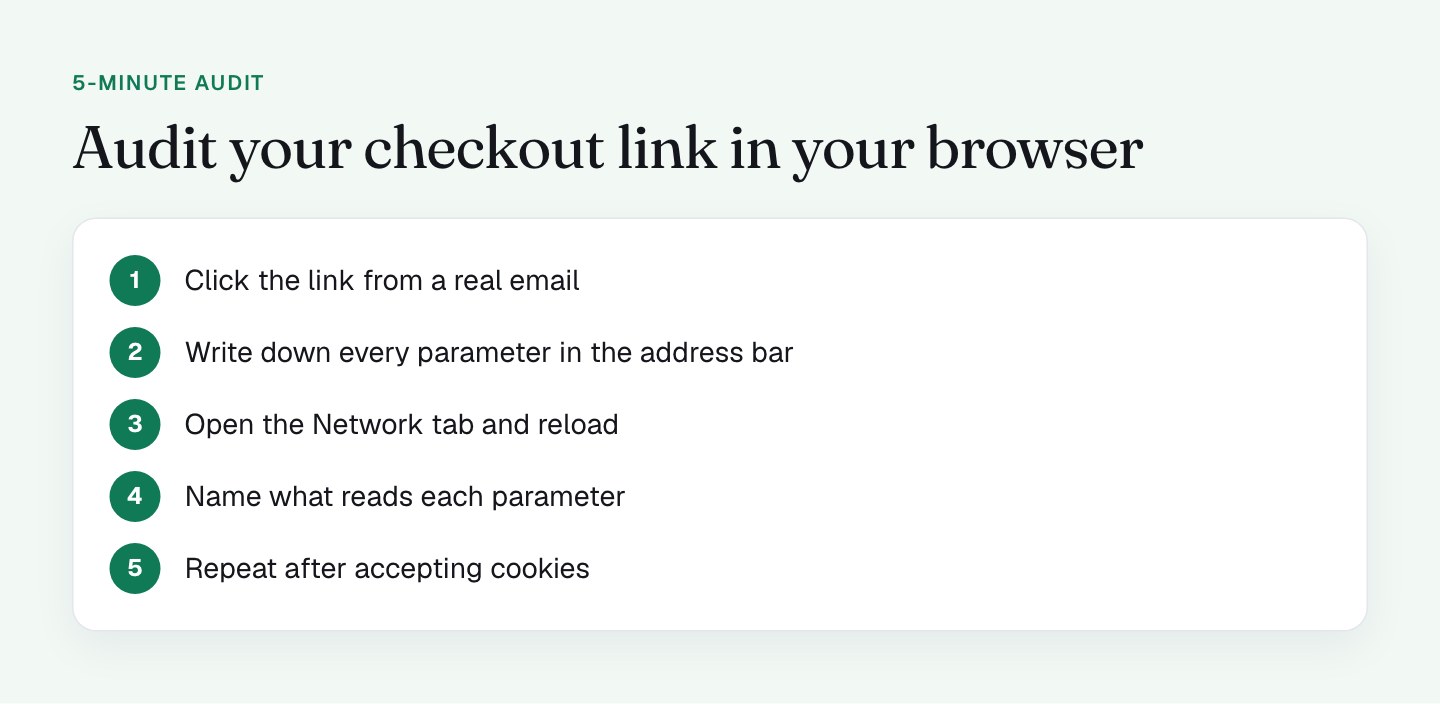
- Copy the link exactly as a subscriber receives it. Click it from a real email, because redirects and tracking steps are part of what you're testing.
- Look at the address bar after the page loads, and write down every parameter.
- Open the developer tools, go to the Network tab, and reload.
- For each parameter, ask what request or script uses it. Search the page source and network requests for the name.
- Run it twice: before and after accepting cookies.
Anything that nothing reads is a candidate for removal. Anything read by something you didn't know about deserves a closer look. That's the whole exercise.
What to check on your own checkout
- List every parameter on your email link as it arrives, not as you wrote it.
- For each, name the script or system that reads it.
- Check whether your email platform's tracking script is installed on the checkout page.
- If your checkout is an iframe from another domain, check whether the click ID makes it inside.
- Repeat the test with cookies declined and accepted.
- Look in the vendor requests for any personal data from your URL.
Next is the page itself, and what the buyer sees in the first seconds: the 5 seconds before your form appears.
FAQ
What is vgo_ee in a link?
vgo_ee is a parameter that ActiveCampaign appends to links when its site tracking is on. It holds an encrypted version of the contact's email address, so ActiveCampaign's tracking script can recognize the visitor. It does nothing unless that script loads on the destination page.
What is a gclid and why pass it into an iframe checkout?
A gclid is the click ID that Google Ads adds to a link when someone clicks an ad. If the checkout form is an iframe from another domain, the click ID on the outer page may never reach the place where the sale is recorded. Copying it into the iframe address gives Google Ads a way to connect the sale to the click.
Do email link parameters affect page speed?
They can. A query string can make a page cache treat the URL as a different page, and on my checkout that moved time to first byte from about 400 ms to 720 to 840 ms. Removing parameters that nothing reads keeps the link short and cache friendly.
How do I see which parameters my checkout page uses?
Click the link from a real email, write down every parameter in the address bar, and open the Network tab. Search the page source and the requests for each parameter name and note what reads it. Repeat after accepting cookies, because consent changes which scripts run.